
F5 BIG-IQ Quick Setup > BIG-IQ 6.1 Centralized Management Quick Setup Guide > Module 4: Add Data Collection Device Source | Edit on
Add Data Collection Device (VMware and AWS)
Description
In this lab, we will discover and activate a data collection device (DCD). Refer to below AskF5 link if you need further details.
Step 1: Discover and activate a DCD
Repeat these steps for each DCD you want to configure. It is recommended to have 3 in production environments.
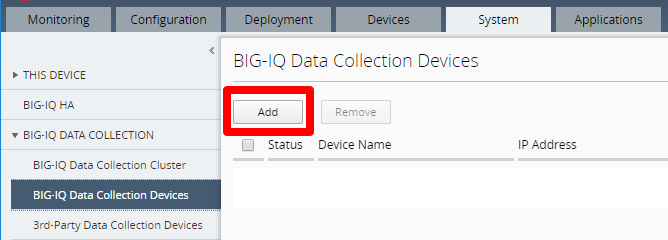
Click System > BIG-IQ DATA COLLECTION > BIG-IQ Data Collection Devices then click Add
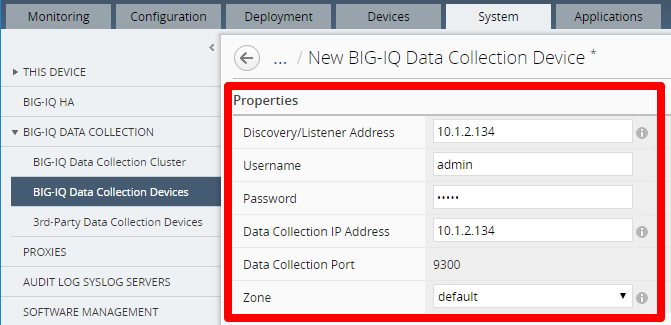
Input the required info to add a DCD then click Save & Close
- Discovery/Listener Address: the self IP address for the DCD
- Username: admin user
- Password: admin password
- Data Collection IP Address: the self IP address for the DCD. Use a different self IP address if you are separating the VLAN used for inter-DCD communication
- Data Collection Port: the port used for internal polling and communication between DCDs. This cannot be changed and must be open on any firewall or security group used
- Zone: leave default for single zone DCD cluster. Create custom zones if you are deploying DCDs in different regions for disaster recovery
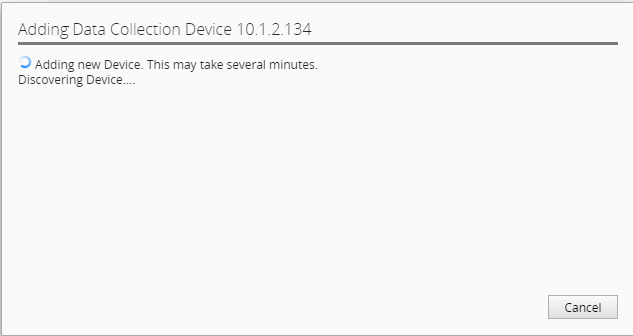
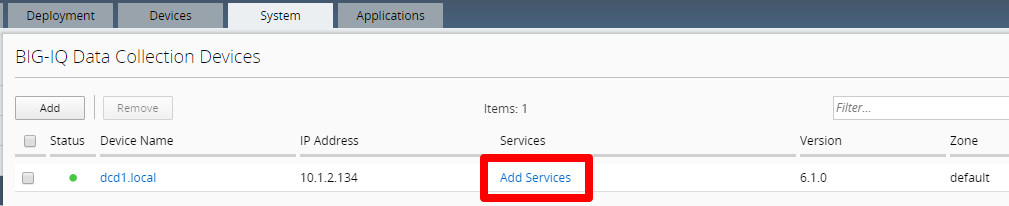
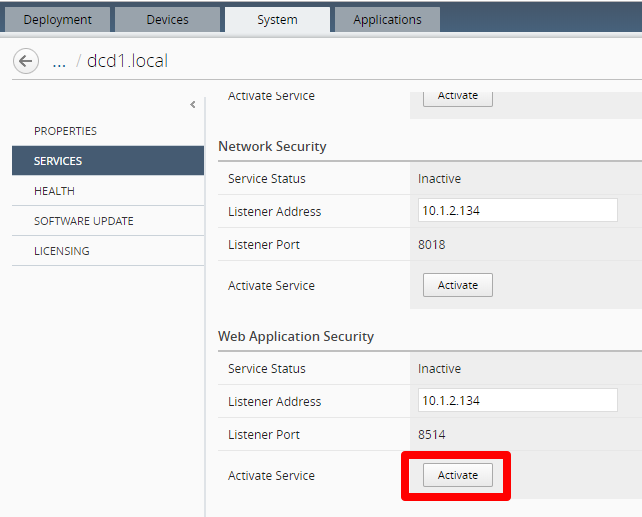
By default, the DCD will monitor ADC services. To monitor additional services like Web Application Security, click Add Services. You must do this for each DCD
Click Activate for every service you want to monitor
This completes DCD setup.