
F5 BIG-IQ Quick Setup > BIG-IQ 6.1 Centralized Management Quick Setup Guide > Module 1: BIG-IQ Instance Provisioning Source | Edit on
Provision BIG-IQ (AWS)
Description:
In this lab, we will deploy both BIG-IQ CM and DCD in AWS cloud. Refer to below AskF5 link for official documentation.
Step 1: AWS VPC Requirements
Before you deploy BIG-IQ in AWS, ensure that you meet below requirements:
An active AWS account
Access to the AWS Marketplace
Valid BIG-IQ CM and BIG-IQ DCD registration keys (Contact your F5 Sales representative for this)
- ..NOTE::
Single or Multi Region is supported
IAM user accounts (optional)
Key pair (required): AWS Reference
Important
Per AWS best practice, this is required to get ssh access to the instance after boot. After login, you can change the admin password for access to the GUI
- Management subnet (public)
For BIG-IQ GUI access, data sync between Primary/Secondary
External subnet (public)
- For Elasticsearch Cluster traffic between BIG-IQ CM and BIG-IQ DCD (logging node)
- For BIG-IP device discovery, management, monitoring
Security group configuration. Configure your security group so that it meets below criteria:
- Criteria 1 = allow-only-ssh-https from the source IP of your location for management access
- Criteria 2 = allow-all-traffic from the internal AWS subnet 10.0.0.0/16 for traffic between BIG-IQ devices
- Internet gateway (for initial BIG-IQ activation)
- If you cannot allow internet access, you will need to do manual activation for BIG-IQ and BIG-IP pool licenses
- Route Table configuration (association)
- To allow access to internet for management and external subnets
Step 2: Launch Instance
Recommended Instance Type: m4.xlarge (EBS)
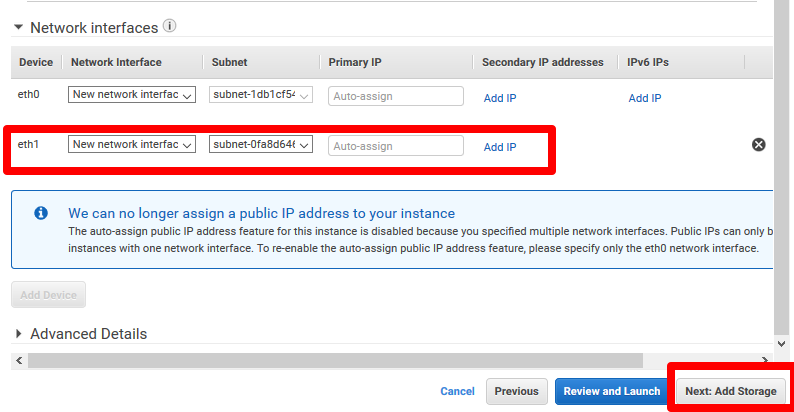
Required Network Interfaces: 2
AWS Marketplace
Follow below steps to deploy 2 BIG-IQ CM devices. You can repeat these same steps to deploy your BIG-IQ DCD device(s).
Important
DCD is required to use analytics, application dashboard, and other visualization features.
- Search using keywords F5 BIG-IQ
Note that F5 BIG-IQ Virtual Edition and F5 BIG-IP Cloud Edition deploy the same instance of BIG-IQ Centralized Manager.
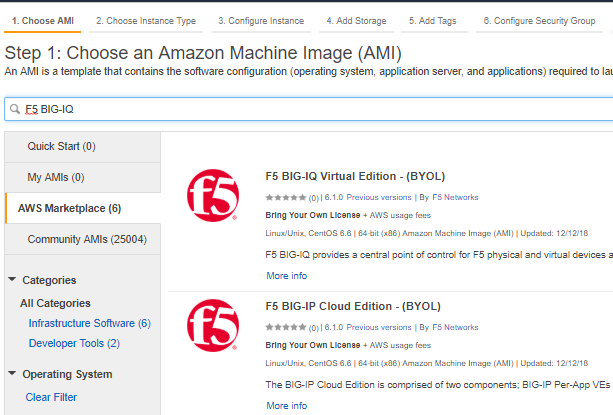
Note
Currently only BYOL is available in AWS
Click Continue
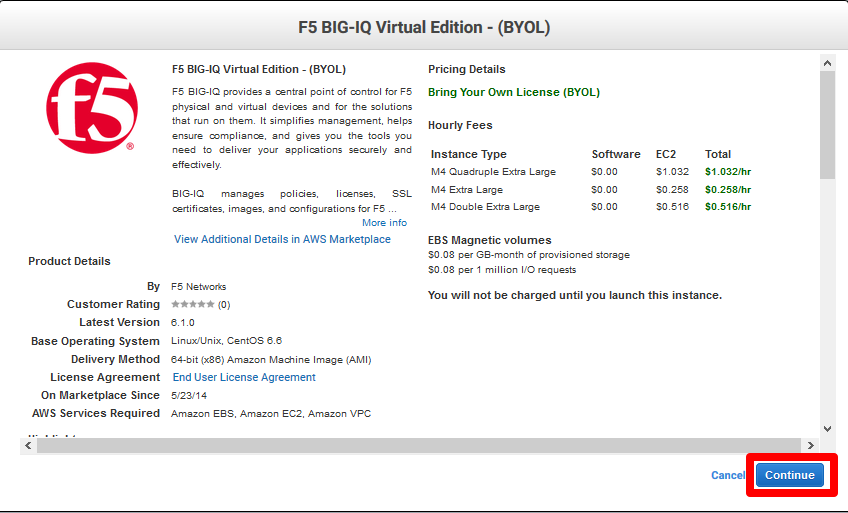
Select m4.xlarge, click Next: Configure Instance Details

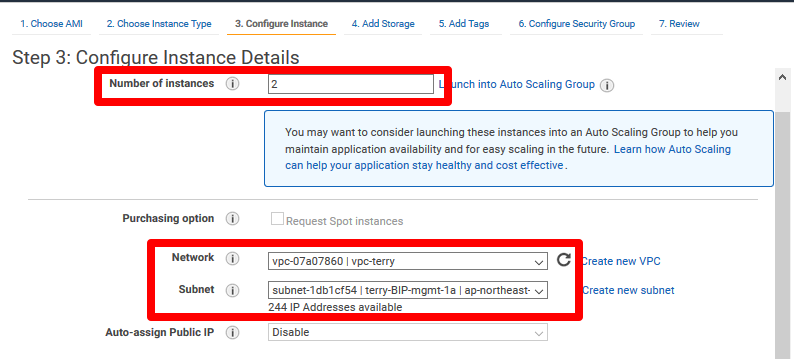
Enter in 2 for number of instances to provision Primary and Secondary BIG-IQ CM devices. Select your VPC and then management subnet.
Launch with 2 network interfaces. Select the External subnet for the additional NIC. Click Review and Launch
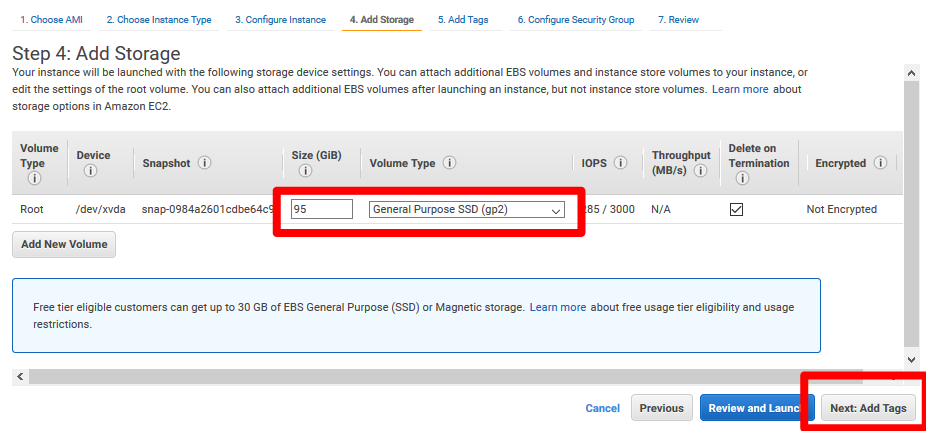
For storage size, you can set it to 500GB. Select General Purpose SSD and click Next: Add Tags
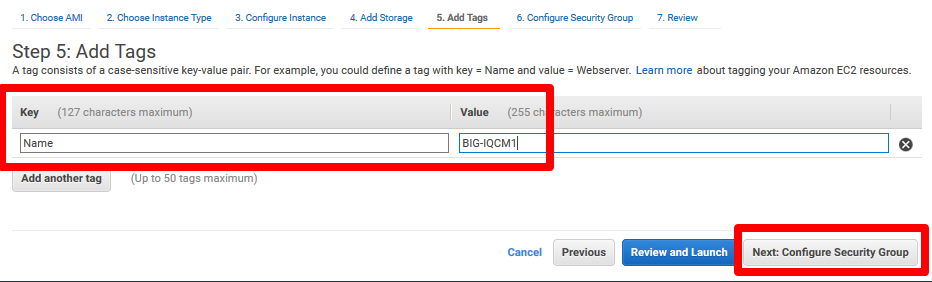
Add tags as necessary
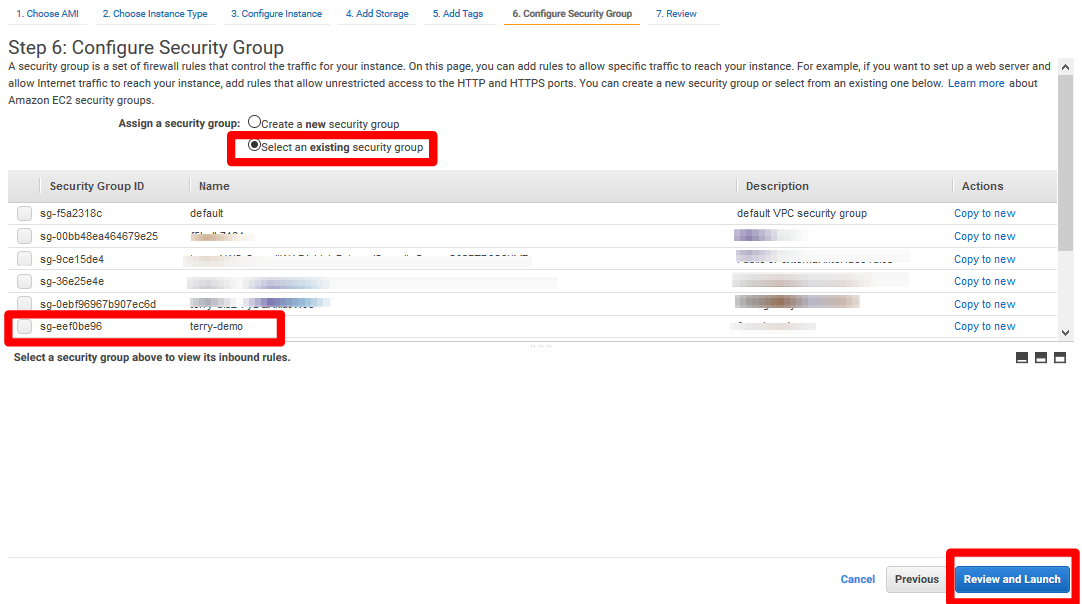
Select the existing security group you created earlier, then click Review and Launch
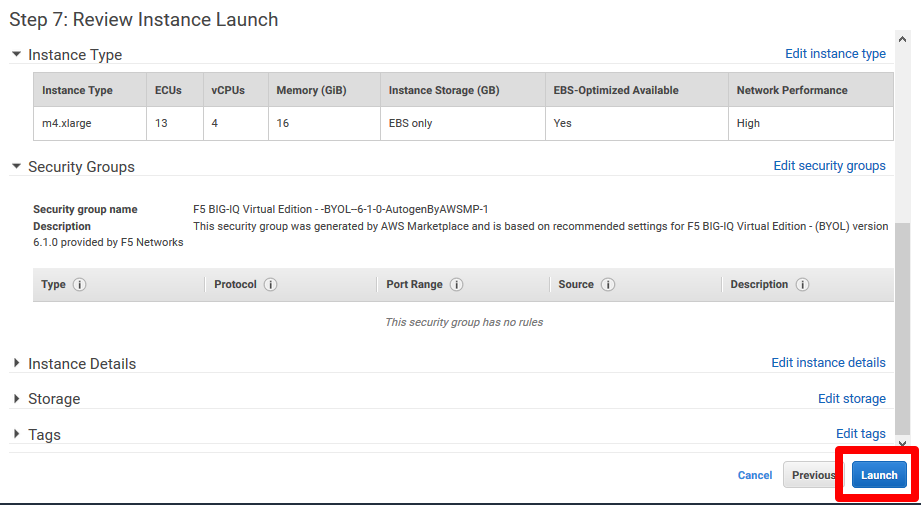
Click Launch
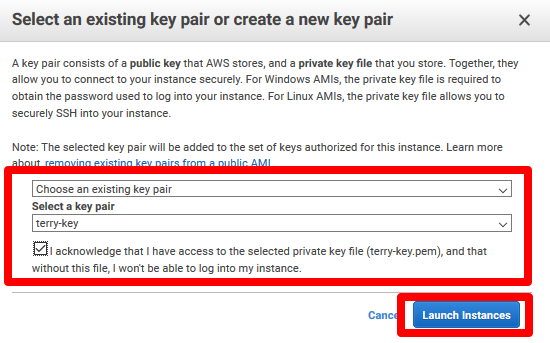
Select the existing key pair you created earlier, then click Launch Instances
Associate EIP to primary IP of the management ENI
Log in via SSH to the EIP. Use public key authentication and your key that you specified when launching the instances
Change admin password so you can log into GUI
tmsh modify auth password admintmsh save sys config