High Availability - Manual (VMware and AWS)
Description
In this lab, we will configure High Availability (Manual) for BIG-IQ CM. Refer to below AskF5 link if you need further details.
Step 1: High Availability - Manual
For the high availability pair to synchronize properly, each system must be running the same BIG-IQ version, and the clocks on each system must be synchronized to within 60 seconds.
Click System > BIG-IQ HA > Add Secondary and enter in the secondary device connectivity information
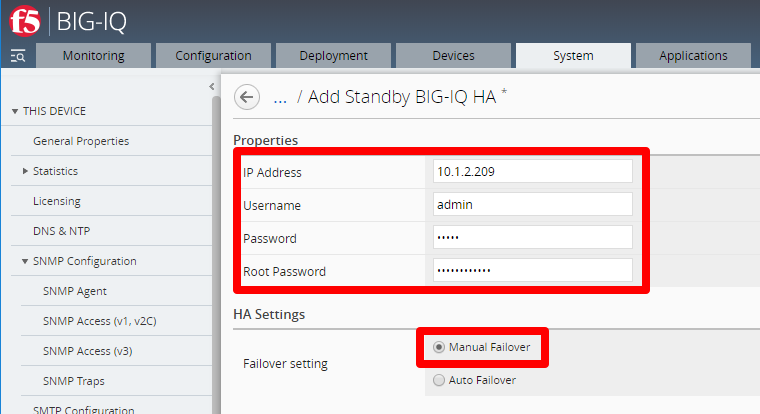
- Use self-ip of peer BIG-IQ. Depending on your network configuration you may use the management-ip instead.
- Enter in admin and root password that you configured in the setup wizard (required)
- Click Manual Failover
Click Add to add the HA Peer Device
This completes the BIG-IQ High Availability (Manual) configuration.