BIG-IP Template Creation - IP Pools/Static (VMware)
Description
In this lab, we will create templates used for provisioning BIG-IP with Static IPs from BIG-IQ CM. Refer to below AskF5 links if you need further details.
Step 1: Download BIG-IP ova image
- Access https://downloads.f5.com/
- Navigate to your desired BIG-IP version and from the Virtual-Edition list of images, select the BIGIP-<version>.ALL_1SLOT-vmware.ova. In test environments, this image will help to save on disk space.
Step 2: Deploy and Boot OVA file
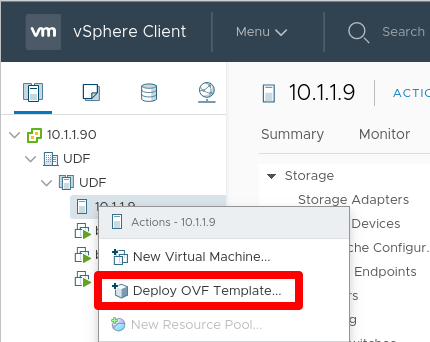
Right click the host or folder and select Deploy OVF Template…
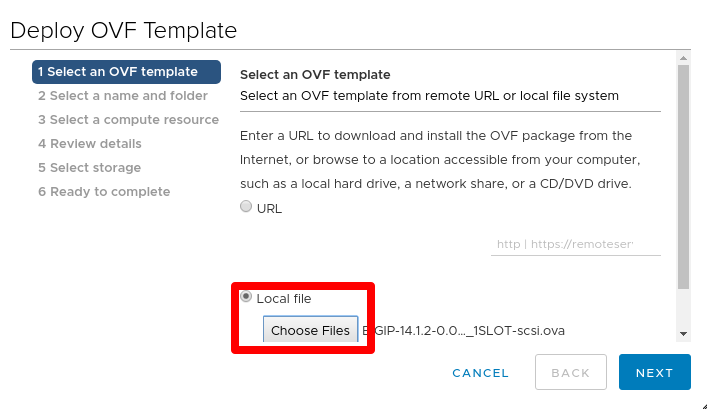
Select Local file > click Choose Files > select the downloaded ova file
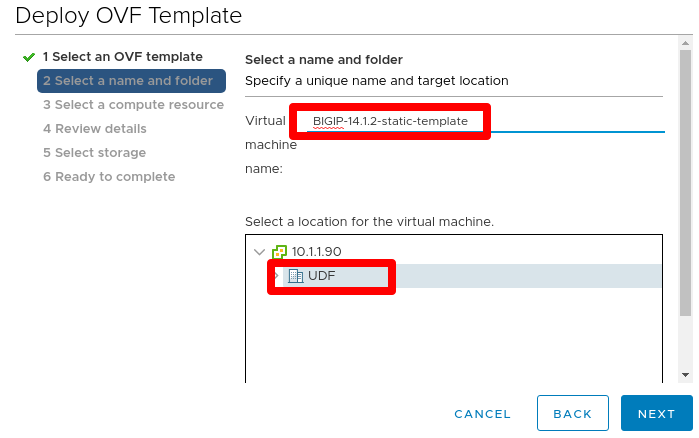
Specify a unique name and target location for the template
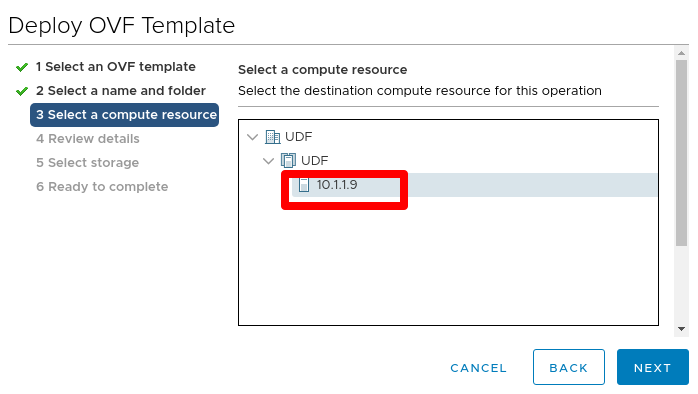
Select the destination compute resource for the template
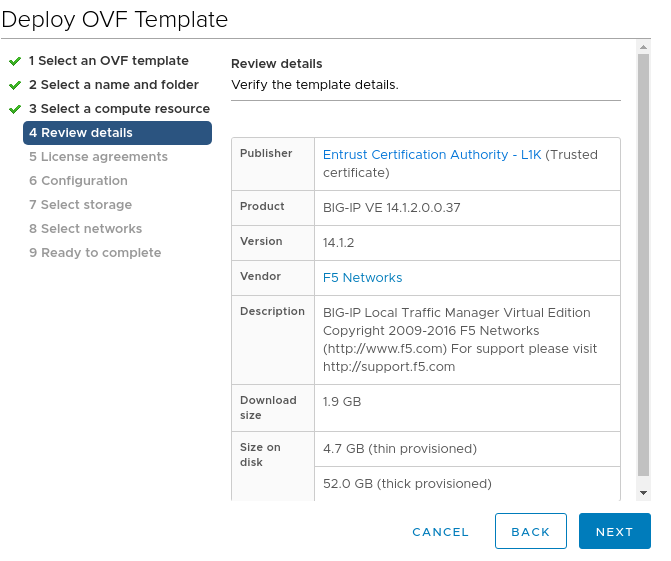
Review details
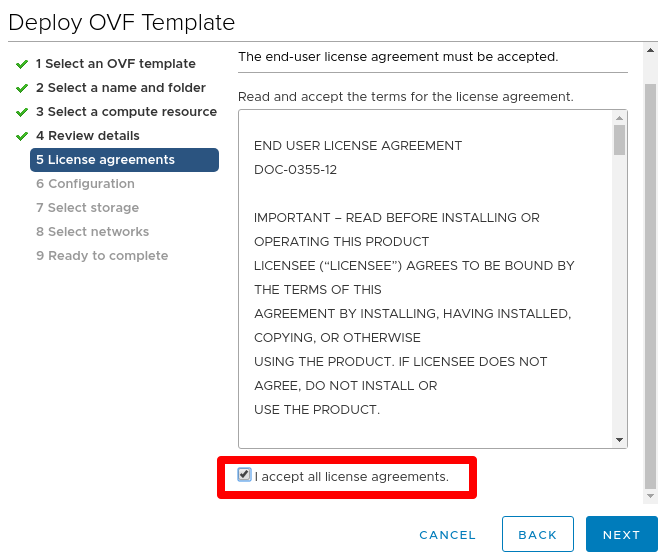
Review EULA and check I accept all license agreements.
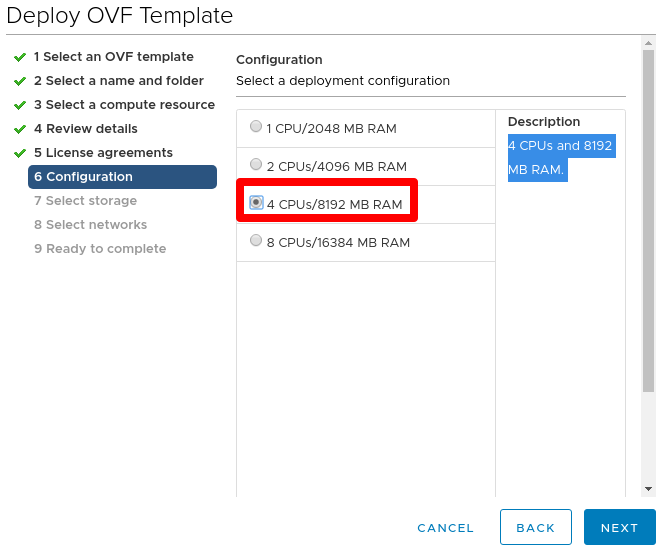
Select 4 CPUs/8192 MB RAM (this can be adjusted as needed depending on what you provision and configure on BIG-IP)
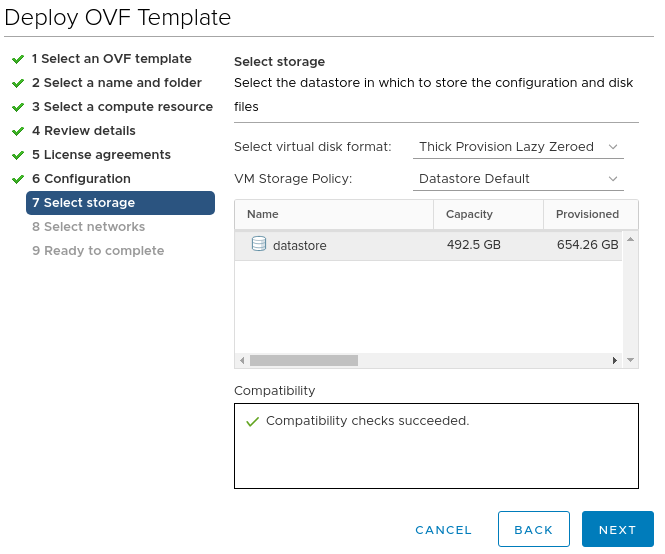
Leave default storage configuration
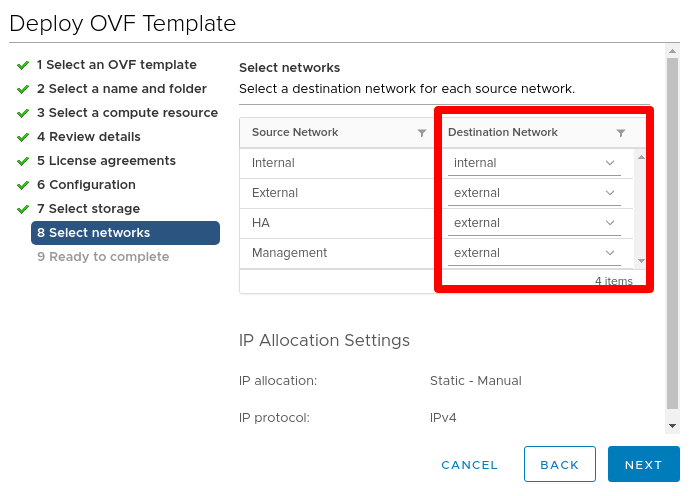
For networks, ensure that the Management NIC is associated with the network that has DHCP disabled and confirm other NIC networks. On BIG-IQ you must then configure IP Pools for these networks. You can ignore the IP allocation settings
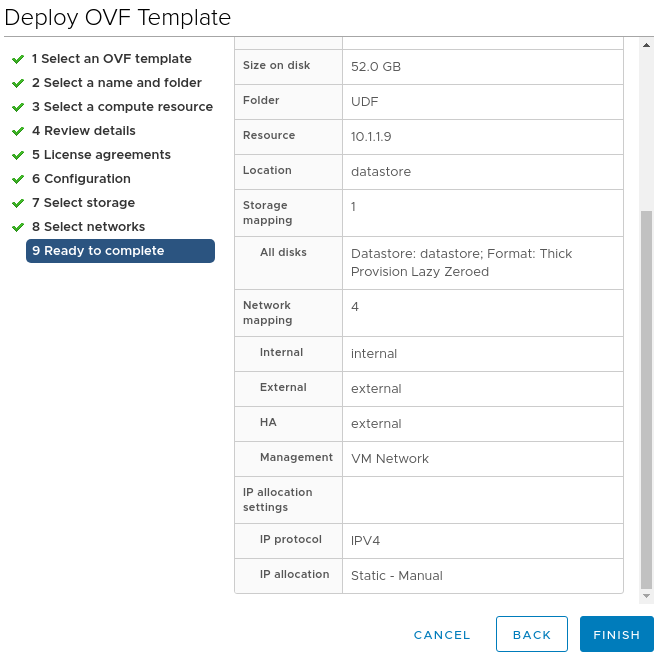
Review all settings and click Finish to deploy
Power on device
Step 2: Prepare BIG-IP to be a clone instance, and shutdown
Open the web console and log into device using default credentials (root/default). Change password to a strong password as required from v14.1.0
Delete f5-rest-device-id directory file. This forces the REST device ID files to be uniquely generated the next time you start the clone
rm -f /config/f5-rest-device-idDelete the BIG-IP VE clone instance-generated SSH keys
rm -f /config/ssh/ssh_host_*rm -f /shared/ssh/ssh_host_*(BIG-IP 14.1.0 and later only) Reset the device administrative account passwords to their default values
echo "root:default" | chpasswdecho "admin:admin" | chpasswdFrom tmsh prompt, disable DHCP for management IP and save configuration
modify sys global-settings mgmt-dhcp disablesave sys configPower off the BIG-IP VE clone template instance
shutdown -h now
This completes the BIG-IP Template Creation - IP Pools/Static.